Best pairs

i12 TWS Manual Pairing of Left and Right Earbuds: Bring Back a Silent Side

When only one stem bud plays, the two sides have usually lost their link, or the quiet one is out of charge. Re-linking the left and right buds by hand, or running a full reset, brings stereo back in a couple of minutes.

Freshly checked September 2026
Quick answer

Forget the earbuds on your phone, charge both buds in the case, then take them out together so they link to each other before the phone sees them. If they still act as two separate buds, run the factory reset for your model and pair from scratch.

  • Check both buds are charging before anything else
  • Clear every old entry for the pair on the phone
  • Reset with both buds in the case, then pair only one name
1 Jxrev J53
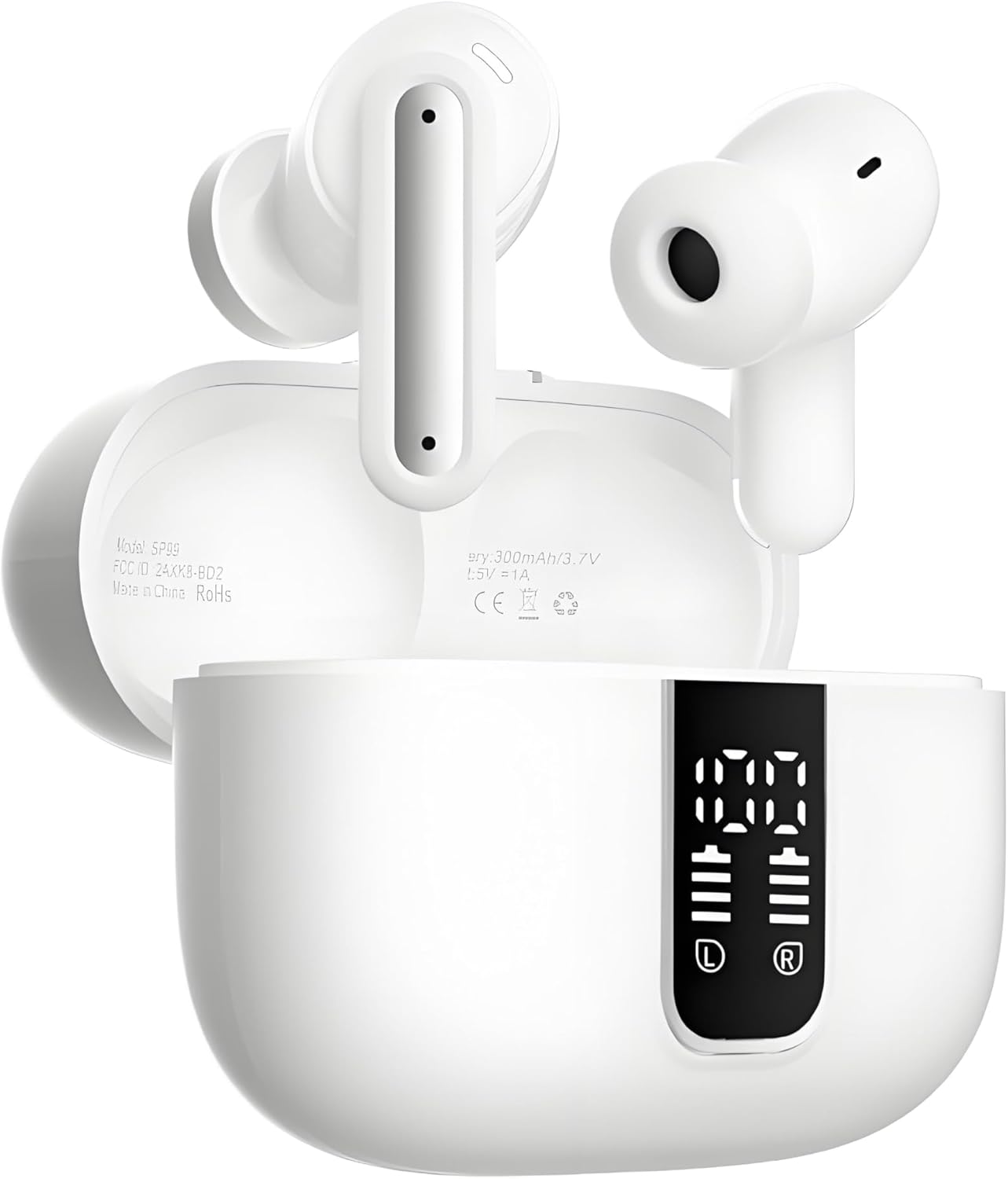
See each bud's charge at a glance Jxrev J53
The Jxrev J53 case display shows the battery of each bud and the case, so a flat side is obvious.
  • Open fit, no ear tips: the classic i12 shape
  • Case shows the battery in digits
  • Bluetooth 5.4 · 40h with case
Grab this pair
2 PMOPDSNNE 40H Earbuds
A real reset button on the case PMOPDSNNE 40H Earbuds
Hold the PMOPDSNNE button for five seconds with both buds inside to clear faulty pairing data.
  • Silicone tips seal out street noise
  • Case shows the battery in digits
  • Bluetooth 5.3 · 40h with case
Grab this pair
3 zakotu I66
Stereo or one bud alone zakotu I66
The zakotu I66 runs in binaural or mono mode, so either side keeps playing while the other charges.
  • Silicone tips seal out street noise
  • Case shows the battery in digits
  • Bluetooth 5.4 · 40h with case
Grab this pair

Four reasons only one bud plays

A pair of stem earbuds works as a team. One bud talks to the phone and passes the sound to its partner, so if that link breaks, you hear music on one side only.

Before resetting anything, narrow down which of the usual causes you have:

  • The quiet bud is flat. It may not have been charging in the case at all because it sat slightly off its contacts.
  • The buds lost each other. Taking one bud out long before the other, or pairing each one on its own, splits the pair into two separate headsets.
  • The phone is set to one side. An audio balance slider pushed left or right, or mono audio turned on, makes a healthy bud sound silent.
  • The sound is blocked. Earwax on the nozzle mesh can muffle a bud so much that it seems dead.

The first cause is the easiest to rule out. A case with a digit display, like the Jxrev J53, shows each bud's charge separately, so a side that reads zero tells you to fix charging before pairing.

Brand-new pair with one silent bud? Look for a thin clear film over the metal charging contacts on the bud or inside the case. If it is still there, peel it off and the bud will start charging.
Cheat card

One bud quiet? Match the symptom

What you noticeLikely causeTry this
One bud dead, no light at allFlat battery or dirty charging contactsClean the contacts, reseat it, charge 30 minutes
Two names in the phone's listLeft and right lost their linkForget both, re-link the buds, pair one name
Both lights on, one side silentEach bud paired to the phone separatelyForget, reset, pair again
Sound on both sides, one much quieterPhone balance setting or blocked ear tipCenter the balance, clean the nozzle
Bud connects, drops after secondsVery low charge or out of rangeCharge fully, keep the phone within a few meters

Causes and fixes that apply to stem-style true wireless earbuds in general; exact reset gestures differ by model and are printed on the card in the box.

Bud vs bud

Pairs that make a silent side easy to spot

Jxrev J53 Jxrev J53 PMOPDSNNE 40H Earbuds PMOPDSNNE 40H Earbuds zakotu I66 zakotu I66 TAGRY X08 TAGRY X08 Jrwaro S13 Jrwaro S13
FitOpen fitIn-ear tipsIn-ear tipsIn-ear tipsOpen fit
BluetoothBluetooth 5.4Bluetooth 5.3Bluetooth 5.4Bluetooth 5.xBluetooth 5.4
Battery with case40h with case40h with case40h with case60h with case48h with case
CaseLED displayLED displayLED displayLED displayLED display
Water ratingIPX7IPX7IPX7IPX5IPX7
Call micsENC call mics—ENC call mics——
ControlsTouchTouchTouchTouchButtons
Grab this pair Grab this pair Grab this pair Grab this pair Grab this pair
Spec card

Spec cards for the top three

Jxrev J53
Jxrev J53
Model
Jxrev J53
Fit
Open, semi-in-ear stem buds, no ear tips
Bluetooth
Bluetooth 5.4 (some spec sheets list 5.3), about 10m range
Auto-connect
Reconnects to the last device when the lid opens
Driver
13mm dynamic
Call mics
ENC mic in each bud, rated up to 35dB noise reduction
Noise control
ENC for calls; open fit lets outside sound in
Playtime per charge
Up to 8 hours
Total with case
Up to 40 hours, about 4 refills
Charge time
About 1 hour
Case display
LED readout for the case and each bud
Water resistance
IPX7 nano-coating on the internal parts
Pair notes →Grab this pair
PMOPDSNNE 40H Earbuds
Model
PMOPDSNNE 40H Earbuds
Fit
In-ear with silicone tips
Bluetooth
5.3
Driver
13mm dynamic, composite diaphragm
Microphones
Dual noise-reduction mics
Noise control
Passive isolation from the tips
Controls
Touch taps plus swipe for volume
Call controls
Answer, reject, hang up
Playtime per charge
Up to 8 hours
Total with case
40 to 46 hours
Case display
LED battery digits
Case charging
USB-C, about 1.5 hours to full
Pair notes →Grab this pair
zakotu I66
zakotu I66
Model
zakotu I66
Fit
In-ear with soft silicone tips, 3 sizes
Weight per bud
3g
Bluetooth
5.4; HID, HFP, A2DP, AVRCP
Range
Up to 15m (49ft)
Latency
About 55ms
Driver
13mm dynamic, double-layer polymer diaphragm
Microphones
4, with ENC call noise reduction
Playtime per charge
Up to 8 hours
Case refills
About 5 full charges
Total with case
Up to 40 hours
Quick charge
10 minutes for about 2 hours
Pair notes →Grab this pair

A factory reset clears every old pairing

When re-linking does not stick, a factory reset wipes the buds' memory of every phone, laptop and partner bud. They wake up as if new, ready to be paired once, properly.

Pairs reset in one of two ways. Some have a button on the case: the PMOPDSNNE 40H Earbuds reset when you place both buds inside and hold the case button for five seconds. Most others reset from the touch pads, with a long press or a run of taps that often takes 5 to 15 seconds, depending on the model.

How to factory reset the i12 TWS earbuds, step by step

Whichever way yours works, the order around it stays the same:

  1. Forget the pair on every device it has joined, not only your phone.
  2. Charge both buds for 15 minutes or more.
  3. Run the reset. Lights on both buds usually flash together to confirm it.
  4. Close the case, wait ten seconds, then take both buds out together.
  5. Pair the single name that appears, following the usual pairing steps.

Used the pair with a laptop or TV as well? Remove the earbuds there too. A forgotten device that still remembers the pair can pull one bud away the next time it switches on, and the silent side comes straight back.

A reset erases nothing you care about. There are no saved songs or accounts in the buds, only the list of devices they know.

Happy pick

A case that tells you which side is low

Jrwaro S13
Best for seeing which bud is charging Jrwaro S13

The Jrwaro S13 case shows its own charge in digits plus a separate battery icon for each bud, so you know at once whether both sides are topping up. It runs Bluetooth 5.4 and uses physical buttons instead of touch pads.

Grab this pair

Wake a right bud that won't turn on

An i12 TWS right earbud not turning on, with no light at all, almost always has a charging problem rather than a pairing one. The left bud fails the same way, and the fixes are the same for both.

  • Seat it properly. The magnets in the case should pull the bud down with a small click. If it rocks or sits high, the contacts are not touching.
  • Clean the contacts. Wipe the metal points on the bud and the springy pins in the case with a dry cotton swab. For grime that will not shift, a swab barely damp with isopropyl alcohol does the trick; let it dry fully.
  • Charge the case itself. A case with no power left cannot charge either bud.
  • Leave it for 30 minutes. A bud that sat empty for weeks can take a while before its light comes back.

After it lights up, it may still be out of step with its partner. Run the hand re-link once so both sides join again, and read the charging guide if the case refuses to take power from the cable.

Never pry a bud open or press a pin into it. The tiny battery inside is not user-serviceable, and damage there ends the pair's life.

Keep an eye on the cause for next time. Pockets full of lint, a case that lives in a gym bag and buds dropped in wet are the usual reasons contacts stop meeting, and a quick weekly wipe of the pins keeps both sides charging evenly.

Pictured

Hours on one charge before a bud goes quiet

Maker-stated listening time per bud on a single charge, top figure where a range is given. Real time depends on volume and, on ANC pairs, on noise cancelling being on.

Center the phone's balance and use one bud on purpose

If both buds are connected and one still sounds silent or faint, check the phone before you blame the earbuds. Accessibility settings can shift sound to one side without anyone noticing.

  • iPhone: Settings, Accessibility, Audio & Visual. Set the Balance slider to the middle and switch Mono Audio off.
  • Android: Settings, Accessibility, Audio adjustment (the name varies by maker). Center the left and right balance and turn off mono audio.
  • Windows: Sound settings, pick the earbuds, then check the left and right output levels match.

Sometimes one bud on its own is exactly what you want, for driving or for sharing a song. The TAGRY X08 and the zakotu I66 support mono mode, and the Jxrev J53 buds also work alone, so either side can play while the other stays in the case.

PairStated warranty
TAGRY X085 years
Jxrev J531 to 2 years
BESNOOW I532 years
1 Hora AUT2011 year
Fhumsh A1090 days

Also check the ear tip or nozzle on the faint side. A mesh clogged with earwax can cut the volume by a lot; brush it gently with a dry soft toothbrush and swap in a fresh silicone tip if your pair came with spares.

If a bud still will not play after charging, re-linking, a reset and a balance check, the fault is inside it. That is the moment the warranty is for.

Quick answers

First-pair questions

How do I pair the left and right i12 TWS earbuds manually?

Forget them on your phone, charge both in the case, then take them out at the same time so they join each other. Pair the single name that appears; if they will not join, run the reset for your model first.

How to reset i12 TWS earbuds that keep splitting into two names?

Forget the pair on every device, charge both buds, then use your model's reset: a case button on some pairs, a long press or set of taps on the touch pads on others. Take both buds out together afterwards and pair again.

Why is one i12 TWS earbud not working?

Usually the quiet bud is flat, has lost its link to its partner, or the phone's balance is pushed to one side. Check charging first, then re-link, then check the phone's audio settings.

What do I do if the right earbud won't turn on?

Reseat it so the magnets click it into place, clean the charging contacts, make sure the case has power and leave it charging for 30 minutes.

Does a reset delete anything?

Only the list of devices the buds remember. You pair them again afterwards and everything works as before.

Next quick fix

More earbud fixes

More pairs

More pairs with digit displays on the case