- Silicone tips seal out street noise
- Case shows the battery in digits
- Bluetooth 5.x · 60h with case
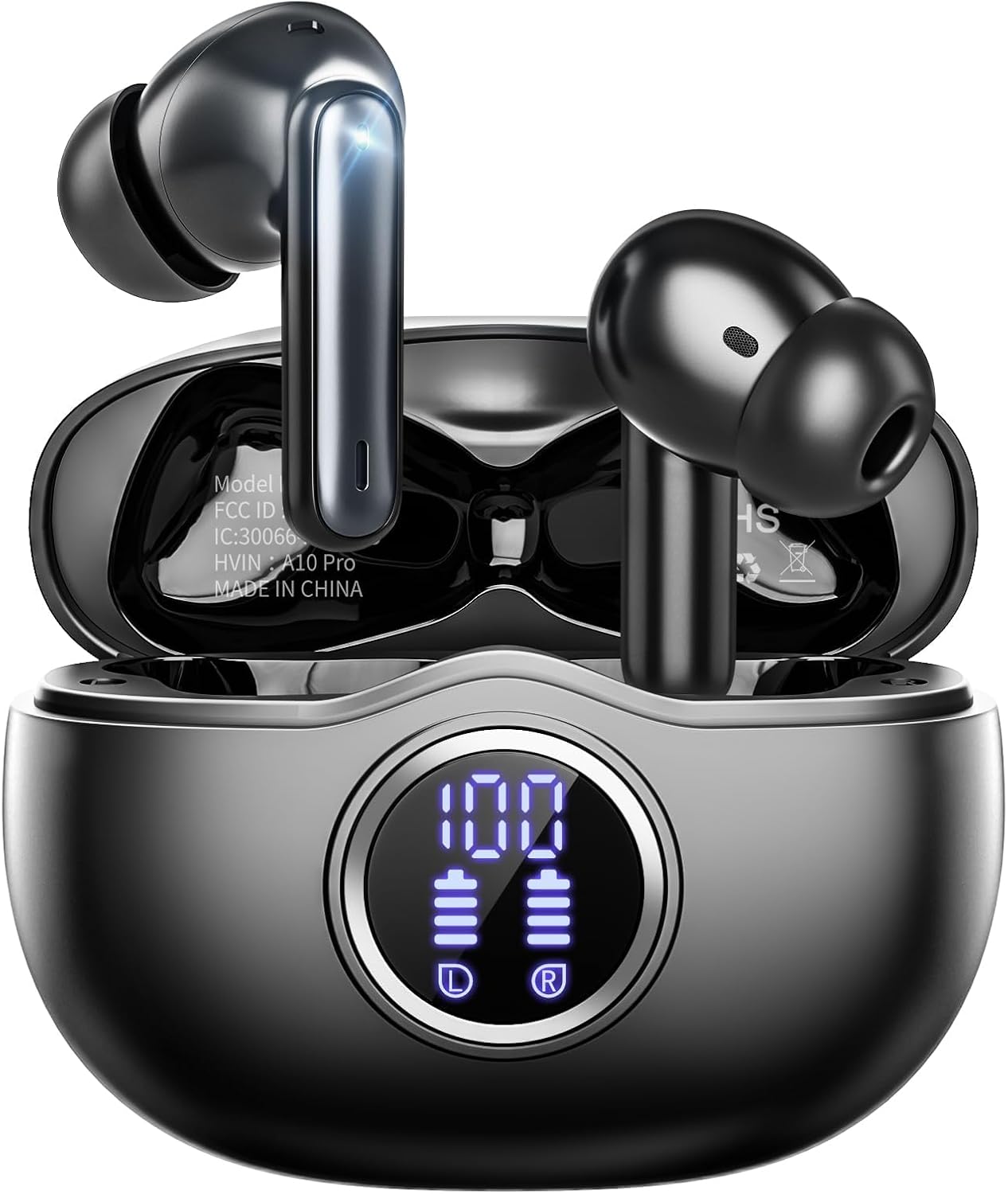
Stem-style i12 TWS earbuds pair the same way on almost any phone: open the lid, let the left and right buds find each other, then tap one name in the Bluetooth menu. After that first time, lifting the lid is usually all it takes.
Freshly checked September 2026Charge the case, open the lid and take both buds out. Give the left and right buds a few seconds to link, then open Bluetooth on your phone or laptop and tap the earbuds' name once. From then on, most pairs reconnect by themselves as soon as the case opens.
Every stem pair here follows the same opening routine. The case wakes the buds, the buds link up with each other, and your phone then sees them as one headset with one name.
The name you tap depends on the model. Many pairs show their model number, and the Awaiymi Kids Earbuds, for instance, appear as F2 on their first connection. The small card in the box names yours.
| Device | Open this | Then tap |
|---|---|---|
| iPhone or iPad | Settings > Bluetooth | The earbuds' name under Other Devices |
| Samsung Galaxy | Settings > Connections > Bluetooth | The name under Available devices |
| Google Pixel and most Android | Settings > Connected devices > Pair new device | The name in the list |
| Windows 11 laptop | Settings > Bluetooth & devices > Add device > Bluetooth | The name, then Done |
| Mac | System Settings > Bluetooth | Connect next to the name |
| Chromebook | Quick Settings > Bluetooth | The name under Available devices |
Menu names follow current iOS, One UI, Pixel Android, Windows 11, macOS and ChromeOS wording; older versions and other Android skins may label them slightly differently.
Phones make this part easy, as long as you look in the right menu. An iPhone will not show the animated pop-up card it uses for Apple's own earbuds, so head straight to Settings.
Several pairs support AAC, the codec iPhones prefer for Bluetooth audio. The Btootos A90 Pro, the DRQQ AirBuds 2 and the Surfans T1 all name it, which keeps music quality up on Apple devices.
If the phone asks for a PIN, try 0000. Current Bluetooth earbuds rarely need one, so a PIN prompt usually means you tapped a different gadget's name by mistake.
Tablets follow the same menus as the phone they are built on. An iPad pairs exactly like an iPhone, and an Android tablet like an Android phone, so one set of steps covers the whole family's devices.
TAGRY X08 |
Fhumsh A10 |
Jxrev J53 in white |
BESNOOW I53 |
XIAOWTEK A40 Pro |
zakotu I66 | |
| Fit | In-ear tips | In-ear tips | Open fit | In-ear tips | In-ear tips | In-ear tips |
| Bluetooth | Bluetooth 5.x | Bluetooth 5.3 | Bluetooth 5.4 | Bluetooth 5.4 | Bluetooth 5.3 | Bluetooth 5.4 |
| Battery with case | 60h with case | 50h with case | 40h with case | 48h with case | 50h with case | 40h with case |
| Case | LED display | LED display | LED display | LED display | Plain | LED display |
| Water rating | IPX5 | IPX7 | IPX7 | IPX7 | IPX7 | IPX7 |
| Call mics | — | ENC call mics | ENC call mics | ENC call mics | — | ENC call mics |
| Controls | Touch | Touch | Touch | Touch | Touch | Touch |
| Grab this pair | Grab this pair | Grab this pair | Grab this pair | Grab this pair | Grab this pair |
Laptops pair just like phones, with one extra detail about sound quality during calls. Close the case on any phone the buds already know, or switch that phone's Bluetooth off, so the laptop can grab them.
Windows sometimes shows two outputs for one pair, a stereo one and a hands-free one. The stereo output is for music and video. The hands-free output switches on when an app uses the microphone, and Bluetooth then drops to call quality, so music sounds flatter until the call ends.
| You are doing | Bluetooth mode in use | How it sounds |
|---|---|---|
| Music, films, lectures | A2DP stereo | Full stereo |
| Zoom, Teams, Meet calls | HFP hands-free | Clear voice, narrower sound |
| Play, pause, skip from the bud | AVRCP remote | Controls only |
Most stem pairs talk to one device at a time. The Fhumsh A10 is the exception worth knowing: it supports dual-device pairing, so it can hold a laptop for calls and a phone for music together.
For online classes and meetings, pick the earbuds as both the speaker and the microphone inside the call app's audio settings. Otherwise the app may keep using the laptop's built-in mic while your voice sounds far away.
The zakotu I66 runs Bluetooth 5.4 with the HID, HFP, A2DP and AVRCP profiles, and its maker lists support back to iOS 9.0 and Android 5.0. After the first pairing it rejoins the last device whenever the case opens.
Grab this pairAfter the first pairing, the buds remember the last device they joined. Open the case with that phone's Bluetooth on and they slip back into place without a single tap.
This trick is written into the spec of most of the popular pairs. The Jxrev J53, BESNOOW I53, XIAOWTEK S66 and Wekily S50 all rejoin the last device on their own, and the BESNOOW uses the same magnetic Hall sensor as the TAGRY. Pairs without a lid sensor wake when you lift them out instead.
Reconnection can fail for small, fixable reasons:
Handing one bud to a friend? Pairs such as the TAGRY X08 and zakotu I66 also play in mono mode, so either bud can stay connected on its own while the other rests in the case.
Swapping phones for good? Pair the new phone the normal way, then tap Forget on the old one. The buds then stop trying to reach a phone you no longer carry.
Sometimes the name simply refuses to show up, or it shows up and will not connect. Nearly every case comes down to the buds being busy elsewhere, unlinked from each other, or low on power.
Once the buds appear again, pair them fresh as if they were new. Keep the case near you for the first minute so both buds hear the phone clearly.
A last check for smart TVs and car stereos: some older ones keep a short device memory. Delete a gadget you no longer use there, then add the earbuds again.
Open the case, take both buds out and wait a few seconds for them to link. Then go to Settings, Connected devices (or Connections on Samsung), Bluetooth, and tap the earbuds' name.
The left and right buds have not linked to each other, so each one is advertising itself. Put them back in the case, close it, reopen it and try again, or re-link them by hand.
Yes. They pair through Settings, Bluetooth like any headset; the only thing missing is the pop-up card iPhones show for Apple's own buds.
Most stem pairs connect to one device at a time, so disconnect one before using the other. The Fhumsh A10 supports dual-device pairing and can hold both.
Current Bluetooth earbuds almost never ask for one. If a device insists, 0000 is the usual default.